
How to know when a product’s price drops
Save a public product link, enable price tracking, and set a price you would be comfortable paying. SendCart checks prices on a schedule, keeps recorded price history, and can notify you of a drop or when your target is reached.
Set up a price you can wait for
Save the retailer’s public product link
Use the page for the exact product and variant you want. A screenshot can help you save an idea, but automatic price tracking requires a public URL that the app can check.
Review the starting price
Check the detected price against the store page before saving. Make sure you are looking at the same size, model, and currency. Correct an import error before using the saved price as a reference.
Set your target and allow notifications
Choose a target based on your budget, then check that tracking is enabled for the item. Allow SendCart notifications in your device settings if you want to receive price alerts.
Use the history, then open the store
Return to the recorded price history to see what has changed. If the current price works for you, open the original retailer and confirm the item, availability, and checkout total before purchasing.
A target price is your decision rule
Suppose you have found headphones you like but are happy to wait. Set a target you can afford instead of treating every discount as a reason to buy. A notification is a prompt to review the purchase; it does not mean you have to act.
Price history adds context to that decision. It shows observations recorded by SendCart, so a newly saved item may have little history. It does not reconstruct all past prices at the store.
Why an alert may arrive after the price changes
Checks are scheduled rather than continuous. A store can change its price between checks, and access to its page can fail. Device notification settings also affect whether you see an alert. If you are not receiving alerts, check both the item’s tracking setting and your device permissions.
Before you rely on the list
- A public product URL is required for automatic tracking; a screenshot alone is not enough.
- Store coverage is not guaranteed. Login-only pages, inaccessible pages, and changing product layouts can prevent a successful check.
- Recorded prices may lag behind the store. Delivery costs, selected variants, and personal offers can change the checkout total.
- SendCart does not guarantee the lowest price. Always confirm the final price with the retailer.
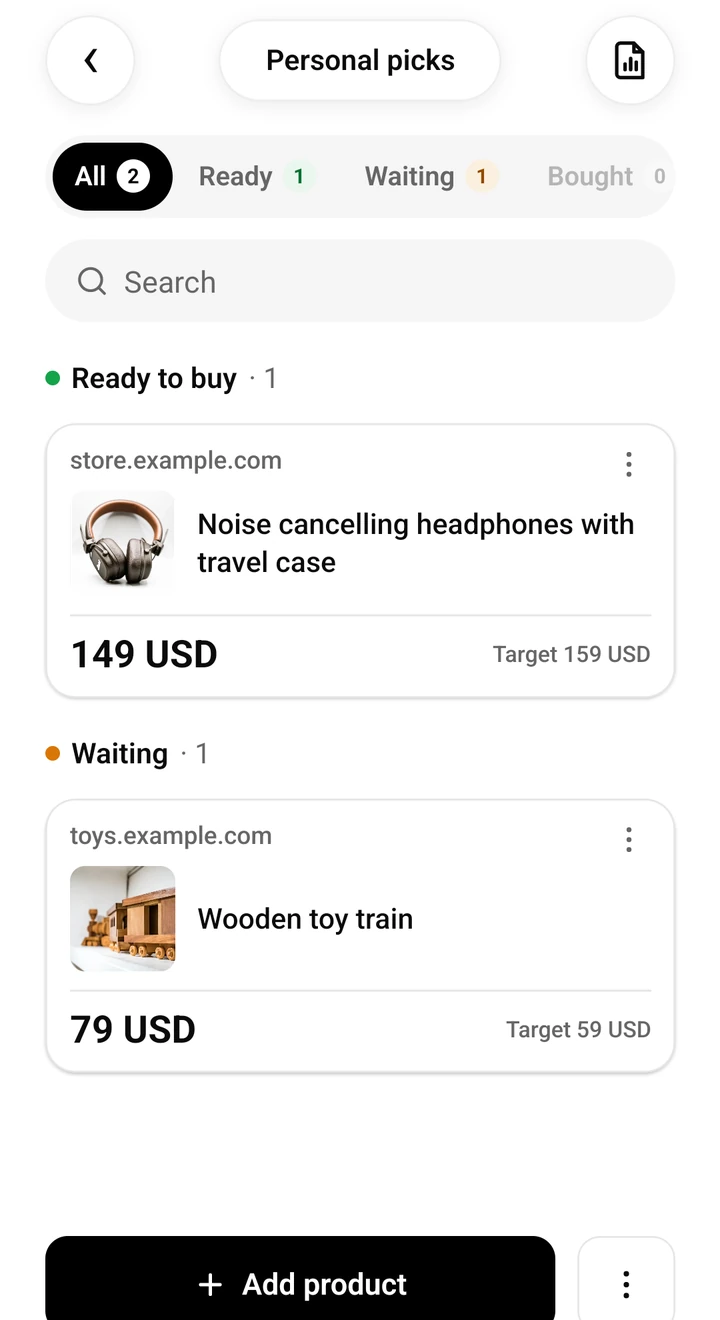
Keep your next find in SendCart
Available on iOS and Android, and on your computer as an extension for Chrome and Firefox. Save a product, check its details, and buy from the original retailer when you are ready.


